Why monitor another station?
During a busy contest, an interesting exchange can disappear quickly in the general chat traffic. This is particularly relevant when another station in the same team is arranging skeds or when a rare station is communicating with several potential callers.
KST4Contest can show this communication additionally in the PM table.
One station may use several chat callsigns
Band- or operating-position-specific KST suffixes are common:
DN9APW-2
DN9APW-70
DN9APW-144
DN9APW-432
Entering every variant manually would be possible, but it would also be unnecessary work and easy to forget when another suffix appears.
QSO monitoring therefore uses the normalised base callsign. Entering any of the callsigns above creates one entry:
DN9APW
That entry covers messages sent by or addressed to every visible suffix of the same base callsign.
What is shown?
A monitored message appears in the PM table with its complete sender and receiver:
Sniffed: (DN9APW-70 > 9A0BB-23) pse sked 19:30
The display includes:
- directed messages sent by the monitored station;
- directed messages addressed to the monitored station; and
- public messages which the monitored station sends to
ALL.
The original message remains in its normal table. KST4Contest does not remove, redirect or rewrite it.
Monitoring and routing solve different problems
The base callsign is used to decide whether a message should be shown in the monitoring view. The complete visible callsign and chat category are still used for message routing.
A message for DN9APW-70 therefore remains a message for DN9APW-70. It is not redirected to DN9APW, DN9APW-2 or another suffix.
This is the same distinction used elsewhere in KST4Contest: station-related information may be shared through the base callsign, while communication remains attached to the remote participant's complete callsign and category.
Both chat categories are included
When two ON4KST categories are active in the same session, the same monitoring list applies to both. There is no need to configure the station separately for each category.
The category of the individual message remains part of its context. Combining the monitoring view does not merge the category-specific message streams or create separate chat connections.
What the function does not do
QSO monitoring does not search the message text for callsign mentions. The monitored station must be the actual sender or receiver.
It also does not generate a separate notification sound and does not decide whether the message really contains a useful sked arrangement. It provides visibility, not interpretation.
No additional messages are requested from the ON4KST server. The function only presents chat traffic which KST4Contest has already received.
Configuration
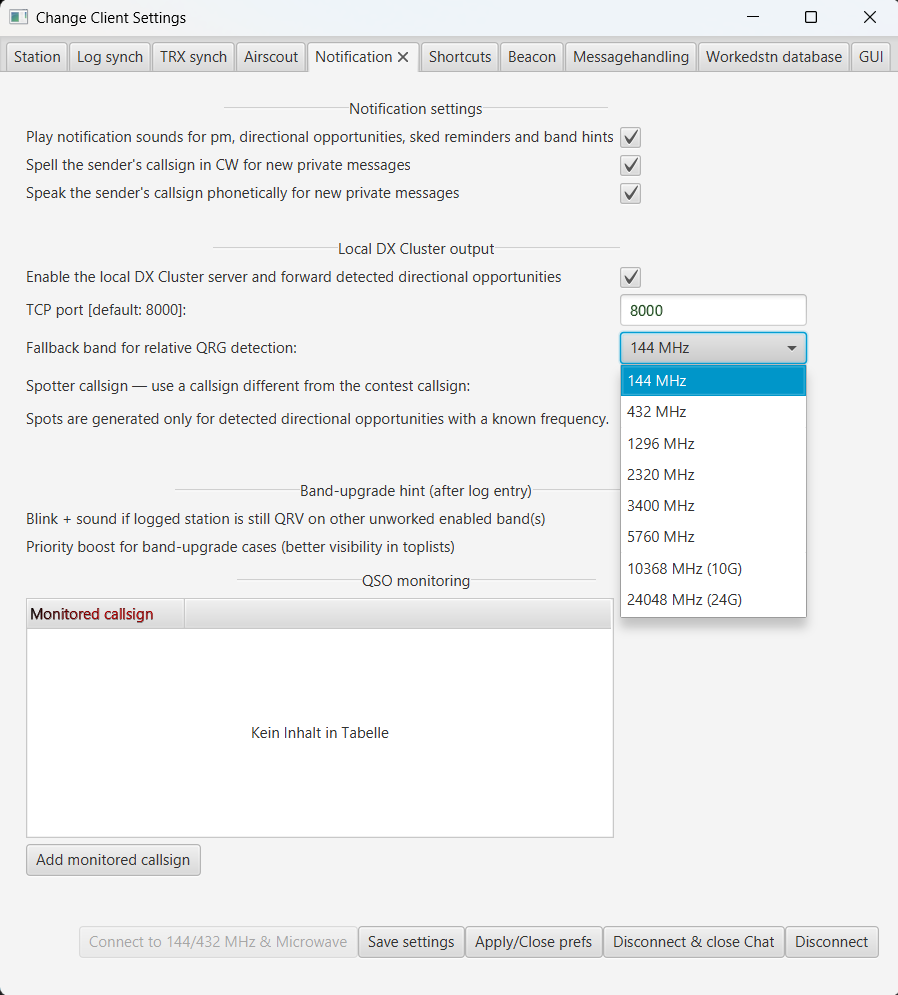
Add a callsign under QSO monitoring in the Notification tab. KST4Contest immediately reduces any visible KST suffix or portable addition to the base callsign.
The list can be edited directly and is stored with Save Settings.
Read the complete QSO monitoring configuration in the manual.
Read why complete callsigns and chat categories remain separate.